

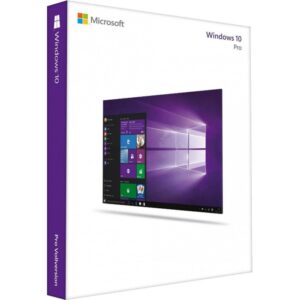
Windows 10 Pro License
$39.99 Original price was: $39.99.$29.99Current price is: $29.99.
Payment Methods:

Description
Digitalchillmart Windows 10 Pro License
Looking for a Windows operating system that offers practical tools for work, productivity, and everyday computing? Microsoft Windows 10 Pro is designed for users who need more than basic desktop functionality. With additional security capabilities, remote access options, and advanced management tools, it provides a professional computing environment for compatible PCs.
Whether you use your computer for business activities, office tasks, software development, or personal projects, Windows 10 Pro offers features that help you organize your workflow and manage your device.
At Digital Chill Mart, you can explore the Microsoft Windows 10 Pro License, review the product information, and check the available purchasing options before placing your order.
Why Choose Microsoft Windows 10 Pro?
Windows 10 Pro is a professional edition of Microsoft’s Windows operating system. It includes familiar Windows functionality alongside additional tools for users who need greater control over their computers.
1. Advanced Security with BitLocker
Windows 10 Pro supports BitLocker Drive Encryption on compatible devices. This feature helps protect sensitive information by encrypting supported storage drives.
It can be particularly useful for professionals and business users who store important documents and private information on their computers.
2. Remote Desktop Access
Need to access your office computer from another location? Windows 10 Pro supports Remote Desktop hosting.
After configuring the necessary settings and network access, you can connect to your PC remotely using a compatible device. This can be useful for remote professionals and users who work across multiple locations.
3. Hyper-V Virtualization
Windows 10 Pro includes Hyper-V support on compatible hardware. It allows users to create and operate virtual machines within their existing computer.
Developers, IT professionals, and technology enthusiasts can use virtual environments for software testing, development, and technical experiments.
4. Group Policy Management
Windows 10 Pro provides Group Policy tools that allow administrators to configure supported system settings and user environments.
This is particularly useful in professional environments where greater control over computer configurations is required.
5. Familiar Desktop Experience
Windows 10 features a familiar Start menu, taskbar, File Explorer, and desktop layout. Users who prefer the traditional Windows interface may find it comfortable to navigate.
6. Productivity and Multitasking
With Snap Assist, Task View, and virtual desktops, Windows 10 Pro helps users organize applications and manage multiple tasks.
You can arrange different windows on your screen and create separate workspaces for different projects.
Key Features of Windows 10 Pro
Explore some of the professional capabilities available in the Windows 10 Pro edition.
- BitLocker Encryption: Encrypt supported drives to help protect stored data.
- Remote Desktop: Access your computer remotely when properly configured.
- Hyper-V: Create and manage virtual machines on compatible hardware.
- Group Policy: Configure supported Windows settings.
- Windows Defender Antivirus: Access built-in malware protection.
- Snap Assist: Organize multiple open application windows.
- Virtual Desktops: Create separate workspaces for different activities.
- Business Management: Access additional device management capabilities.
Feature availability depends on hardware, configuration, and Windows version.
Benefits of Using Windows 10 Pro
Choosing the right Windows edition depends on how you use your computer. Windows 10 Pro offers several capabilities that can benefit different types of users.
For Business Owners: Additional management and security tools can help organize supported business computers.
For Office Professionals: Use familiar desktop applications and multitasking tools to manage daily responsibilities.
For Developers: Hyper-V support provides options for working with virtual machines on compatible systems.
For IT Professionals: Group Policy and other administrative capabilities provide additional configuration options.
For Advanced Users: Remote Desktop hosting and other Pro features offer more flexibility than the standard Home edition.
Windows 10 Home vs Windows 10 Pro
Not sure whether you need Windows 10 Home or Pro? Compare some of their major features below.
| Feature | Windows 10 Home | Windows 10 Pro |
|---|---|---|
| Start Menu | Yes | Yes |
| Snap Assist | Yes | Yes |
| Virtual Desktops | Yes | Yes |
| Windows Security | Yes | Yes |
| BitLocker | No | Yes, supported devices |
| Remote Desktop Hosting | No | Yes |
| Hyper-V | No | Yes |
| Group Policy | No | Yes |
Windows 10 Home is suitable for everyday personal computing. Windows 10 Pro is designed for users who need additional security, administration, virtualization, and remote access capabilities.
Windows 10 Pro System Requirements
Before purchasing or installing Windows 10 Pro, check whether your computer meets the required specifications.
| Component | Requirement |
|---|---|
| Processor | 1 GHz or faster compatible processor |
| RAM | 1 GB for 32-bit or 2 GB for 64-bit |
| Storage | 32 GB or larger recommended for current installations |
| Graphics | DirectX 9 compatible graphics with WDDM driver |
| Display | 800 × 600 resolution |
Actual installation requirements can vary by Windows version and updates. Check Microsoft’s documentation for your specific device.
How to Activate Windows 10 Pro Using a Product Key
If your purchase includes a valid Windows 10 Pro product key, you can activate your operating system through Windows settings.
Follow these steps:
- Open the Start menu on your Windows computer.
- Select Settings.
- Navigate to Update & Security.
- Click Activation.
- Select Change product key.
- Enter your 25-character Windows 10 Pro product key.
- Follow the instructions displayed on your screen.
- Check the Activation section to confirm the activation status.
Important: Your installed Windows edition must match your purchased license. A Windows 10 Pro key is intended for the Pro edition, not Windows 10 Home.
Why Shop at Digital Chill Mart?
Finding the right software product should be simple and convenient. Digital Chill Mart provides an online shopping platform where customers can explore software products and review available purchasing information.
When browsing our Windows 10 Pro product, you can:
- Review product specifications before ordering.
- Check the displayed price and available purchasing options.
- Explore other Windows and Microsoft Office products.
- Access the available customer support channels.
- Review relevant product and store policies.
Our goal is to make software shopping straightforward through accessible product information and customer support.
Important Information About Windows 10 Support
Microsoft ended standard support for Windows 10 on October 14, 2025. This means regular security updates, software updates, and technical assistance are no longer provided through standard support for most Windows 10 users.
Existing Windows 10 computers can continue to operate, and eligible devices may have access to Microsoft’s Extended Security Updates (ESU) program under its applicable terms.
If long-term security updates and ongoing support are important to you, consider checking Windows 11 compatibility before choosing an operating system.
Frequently Asked Questions About Windows 10 Pro License
1. What is a Windows 10 Pro License?
A Windows 10 Pro License provides the licensing rights to activate and use the Professional edition of Windows 10 on a compatible device, subject to the applicable Microsoft license terms.
2. Is Windows 10 Pro suitable for business use?
Yes. Windows 10 Pro includes professional features such as BitLocker, Remote Desktop hosting, Hyper-V, and Group Policy that can be useful in business environments.
3. What is the difference between Windows 10 Home and Pro?
Windows 10 Pro includes additional business and administration features that are not included in Windows 10 Home, such as Remote Desktop hosting, Hyper-V, and Group Policy.
4. How do I activate Windows 10 Pro with a product key?
Open Settings, select Update & Security, navigate to Activation, and choose Change product key. Enter your valid 25-character key and follow the instructions.
5. Can I upgrade Windows 10 Home to Pro?
Yes. You can upgrade from Windows 10 Home to Pro using a valid Windows 10 Pro license through the Windows activation settings.
6. Does Windows 10 Pro support 32-bit and 64-bit systems?
Windows 10 Pro was available in both 32-bit and 64-bit editions. Your installation and product license must match the appropriate edition and architecture.
7. Is Windows 10 still supported by Microsoft?
Standard support for Windows 10 ended on October 14, 2025. Eligible users may explore the Extended Security Updates program for additional security coverage under Microsoft’s terms.
8. Can I use Remote Desktop with Windows 10 Pro?
Yes. Windows 10 Pro supports Remote Desktop hosting, allowing properly configured devices to connect remotely.
9. Where can I buy a Windows 10 Pro Product Key?
You can explore the Windows 10 Pro product page at DigitalChillMart to review the current price, license details, and purchasing information.
Get Your Windows 10 Pro License from Digital Chill Mart
Microsoft Windows 10 Pro offers additional capabilities for users who need professional security, remote access, virtualization, and device management features.
If your computer and software requirements are compatible, explore the Microsoft Windows 10 Pro License at Digital Chill Mart. Review the licensing details and product information to make an informed purchasing decision.
Customer Reviews
Related Products
Windows 11 Home License
In stock

Reviews
Clear filtersThere are no reviews yet.