

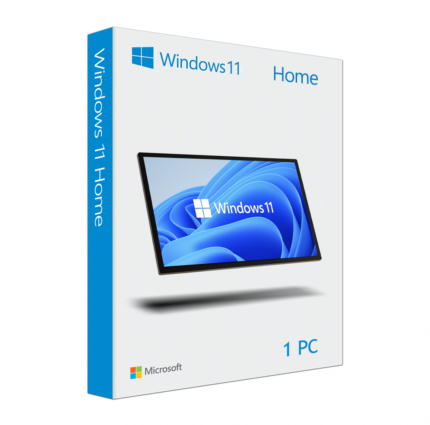
Windows 11 Home License
$59.99 Original price was: $59.99.$39.99Current price is: $39.99.
Payment Methods:

Description
Microsoft Windows 11 Home License – A Better Everyday PC Experience
Looking for an operating system that makes everyday computing simple, comfortable, and productive? Microsoft Windows 11 Home is designed for people who use their computers for work, study, entertainment, browsing, and personal activities.
With its refreshed desktop design, improved multitasking tools, and built-in security features, Windows 11 Home provides a modern environment for everyday PC users. Whether you are setting up a new computer or choosing a Windows edition for your personal device, it offers the essential features needed for a convenient computing experience.
At DigitalChillMart, you can explore the Microsoft Windows 11 Home License, review its product details, and find a suitable purchasing option for your PC.
Why Choose Microsoft Windows 11 Home?
Windows 11 Home focuses on making everyday computer activities more organized and accessible. Its updated interface and practical features help users manage applications, access frequently used tools, and enjoy a smoother desktop experience.
1. Modern and Clean Desktop Design
Windows 11 Home introduces a refreshed interface with a redesigned Start menu, updated taskbar, and improved navigation. Its clean layout makes it easier to find applications, manage settings, and access important features.
2. Improved Multitasking Experience
Working with multiple applications becomes more organized with Snap Layouts and virtual desktops. You can arrange open windows, separate different activities, and switch between workspaces according to your needs.
3. Built-In Windows Security
Protecting your computer is important for everyday activities. Windows 11 Home includes Windows Security and Microsoft Defender Antivirus to help protect your device against common security threats.
Supported devices may also offer Windows Hello for convenient sign-in using a PIN or compatible biometric hardware.
4. Entertainment and Gaming
Windows 11 Home supports modern PC gaming and entertainment features. Technologies such as DirectX 12 Ultimate and Auto HDR are available on compatible hardware and supported games.
You can also use your computer for video streaming, music, browsing, and other entertainment activities.
5. Microsoft Store and Everyday Applications
Discover applications, utilities, and other digital tools through the Microsoft Store. Windows 11 Home provides a familiar environment for installing and using compatible applications for personal and everyday needs.
6. Widgets and Personalized Experience
Use Widgets to access selected information, news, weather, and other available content. You can customize aspects of your desktop experience according to your preferences.
Key Features of Windows 11 Home License
Here are some useful features that make Windows 11 Home suitable for everyday computer users:
- Modern Start Menu: Access applications and important settings through an updated interface.
- Snap Layouts: Organize multiple application windows on your screen.
- Virtual Desktops: Create separate workspaces for different activities.
- Windows Security: Access built-in security and antivirus protection.
- Windows Hello: Use supported biometric sign-in methods.
- Microsoft Store: Explore compatible applications and digital tools.
- Gaming Support: Enjoy supported gaming technologies on compatible hardware.
- Widgets: Access personalized information from your desktop.
Feature availability may depend on your device, region, and installed Windows updates.
Benefits of Using Windows 11 Home
Choosing the right operating system can make everyday computer use more convenient. Windows 11 Home offers several practical advantages.
For Students: Manage assignments, research, online classes, and productivity applications in an organized desktop environment.
For Home Users: Browse websites, communicate with friends, watch videos, and manage personal files with familiar Windows tools.
For Casual Gamers: Access compatible PC games and supported gaming technologies for entertainment.
For Everyday Professionals: Use common office applications, video conferencing software, web browsers, and other productivity tools.
For New PC Owners: Get a modern Windows environment designed for compatible computers and everyday computing needs.
Windows 11 Home vs Windows 11 Pro
Not sure which Windows edition is right for you? Here is a quick comparison to help you decide.
| Features | Windows 11 Home | Windows 11 Pro |
|---|---|---|
| Modern Windows Interface | Yes | Yes |
| Snap Layouts | Yes | Yes |
| Virtual Desktops | Yes | Yes |
| Windows Security | Yes | Yes |
| Microsoft Store | Yes | Yes |
| BitLocker Drive Encryption | Not included as a Pro feature | Yes, on supported devices |
| Remote Desktop Hosting | No | Yes |
| Hyper-V | No | Yes |
| Group Policy | No | Yes |
Which edition should you choose?
Choose Windows 11 Home if you mainly use your computer for studying, browsing, entertainment, gaming, and everyday personal activities.
Choose Windows 11 Pro if you need additional business management, Remote Desktop hosting, Hyper-V, and professional security capabilities.
Windows 11 Home System Requirements
Before purchasing or installing Windows 11 Home, make sure your computer meets Microsoft’s minimum system requirements.
| Component | Minimum Requirement |
|---|---|
| Processor | 1 GHz or faster with 2 or more cores on a compatible 64-bit processor |
| RAM | 4 GB |
| Storage | 64 GB or larger |
| System Firmware | UEFI, Secure Boot capable |
| TPM | Version 2.0 |
| Graphics | DirectX 12 compatible graphics with WDDM 2.0 driver |
| Display | HD display, larger than 9 inches |
Some features require additional hardware or specific configurations. Check your device compatibility before purchasing.
How to Activate Windows 11 Home with a Product Key
Once you have received a valid Windows 11 Home product key, you can activate your Windows installation by following these steps.
- Open the Settings application on your computer.
- Select System from the left-side menu.
- Click Activation.
- Find the Change product key option.
- Select Change and enter your 25-character product key.
- Follow the instructions displayed on your screen.
- Check the Activation section to confirm your Windows activation status.
Important: Make sure your installed operating system is Windows 11 Home. A Home edition product key is not intended to activate Windows 11 Pro.
Why Shop at Digital Chill Mart?
Choosing software online should be a straightforward experience. DigitalChillMart provides an online store where customers can explore digital software products and review available purchasing information.
When shopping for Windows 11 Home at DigitalChillMart, you can:
- Explore software products from one online store.
- Review product specifications before purchasing.
- Check current pricing and product availability.
- Access available customer support channels.
- Find other Windows and Microsoft Office products.
We aim to make your software shopping experience convenient with clear product information and accessible support.
Frequently Asked Questions About Windows 11 Home License
1. What is a Windows 11 Home License?
A Windows 11 Home License provides the licensing rights to use and activate the Windows 11 Home edition on a compatible PC, subject to the applicable Microsoft license terms.
2. Is Windows 11 Home good for everyday use?
Yes. Windows 11 Home is designed for everyday activities such as web browsing, studying, office work, entertainment, communication, and compatible PC gaming.
3. What is the difference between Windows 11 Home and Pro?
Windows 11 Pro includes additional capabilities such as BitLocker, Remote Desktop hosting, Hyper-V, and Group Policy support. Windows 11 Home is suitable for most personal computing needs.
4. Can I activate Windows 11 Home with a product key?
Yes. You can enter a valid Windows 11 Home product key through Settings > System > Activation > Change product key.
5. Can Windows 11 Home run games?
Yes. Windows 11 Home supports compatible PC games and modern gaming technologies. Actual performance depends on your computer’s hardware and the requirements of individual games.
6. Does Windows 11 Home support 64-bit computers?
Yes. Windows 11 requires a compatible 64-bit processor that meets Microsoft’s minimum hardware requirements.
7. Can I upgrade from Windows 11 Home to Pro?
Yes. You can upgrade to Windows 11 Pro by purchasing a valid Pro license and following the upgrade instructions in Windows activation settings.
8. How can I check if Windows 11 Home is activated?
Open Settings, select System, and click Activation. Your current Windows activation status will appear there.
9. Where can I buy a Windows 11 Home License?
You can explore the Microsoft Windows 11 Home product page at Digital Chill Mart to review the current price, license information, and purchasing details.
Get Your Windows 11 Home License from Digital Chill Mart
A good operating system makes everyday computing easier. Microsoft Windows 11 Home brings together a modern interface, useful productivity tools, built-in security, and entertainment features in one familiar environment.
If you are looking for a Windows edition for your personal computer, explore the Microsoft Windows 11 Home License at DigitalChillMart. Review the product information and choose the option that matches your device and requirements.
Customer Reviews
Related Products
Windows 11 Home License
In stock

Reviews
Clear filtersThere are no reviews yet.