

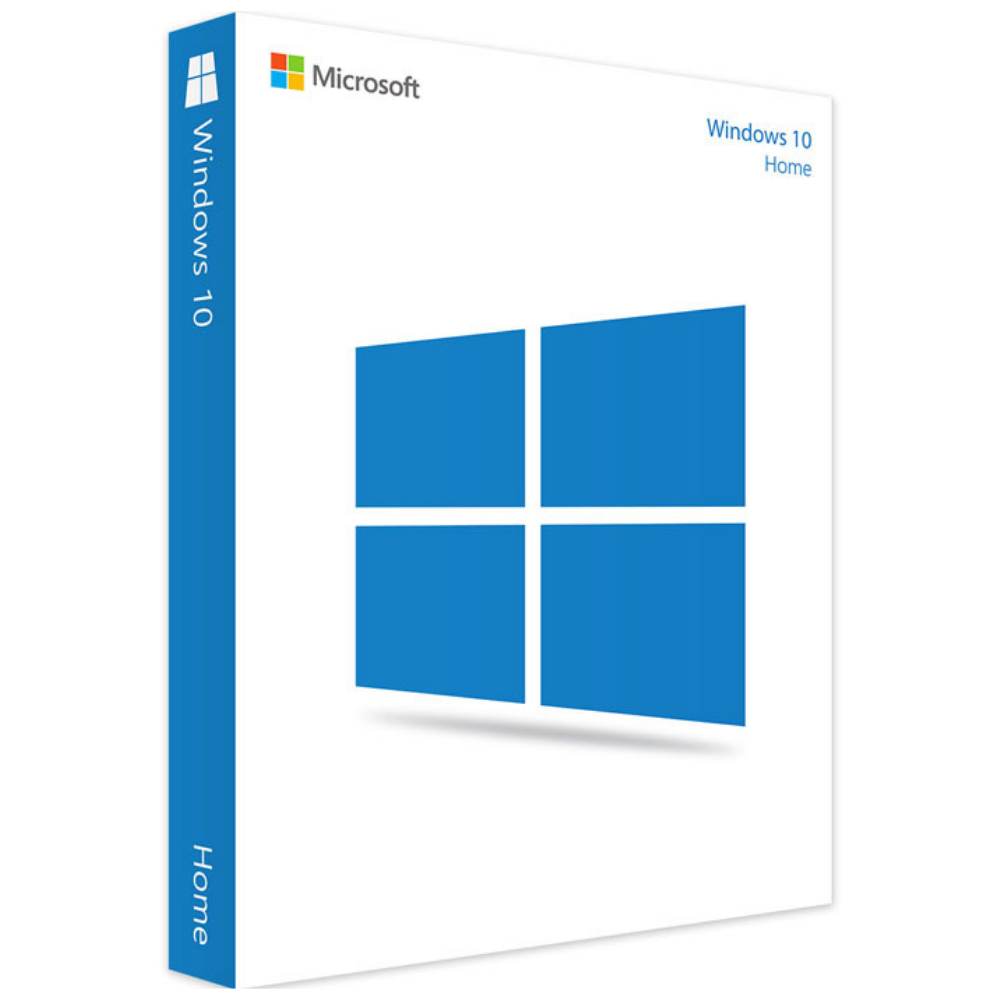
Windows 10 Home License
$39.99 Original price was: $39.99.$29.99Current price is: $29.99.
Payment Methods:

Description
Digital chill mart windows 10 home key
Looking for a familiar and easy-to-use operating system for your personal computer? Microsoft Windows 10 Home is designed for everyday users who want a practical desktop environment for browsing, studying, entertainment, communication, and daily tasks.
With its familiar Start menu, user-friendly interface, multitasking tools, and built-in security features, Windows 10 Home provides a straightforward computing experience. It is suitable for users who prefer the traditional Windows desktop layout and want convenient access to their everyday applications.
At Digital Chill Mart, you can explore the Microsoft Windows 10 Home License, review the product information, and check the available purchasing options before placing your order.
Why Choose Microsoft Windows 10 Home?
Windows 10 Home combines familiar desktop functionality with useful tools for personal computing. Its layout makes it easy to navigate applications, manage files, and organize everyday activities.
1. Familiar and Easy-to-Use Interface
Windows 10 features a traditional Start menu that brings together frequently used applications, settings, and shortcuts. Its familiar desktop layout makes navigation straightforward for both new and experienced computer users.
2. Convenient Multitasking
Manage multiple applications with Snap Assist, Task View, and virtual desktops. These tools help you arrange open windows, switch between activities, and organize different tasks more efficiently.
3. Built-In Security Protection
Windows 10 Home includes Windows Security and Microsoft Defender Antivirus to help protect your computer against common security threats. Additional protection depends on your device configuration and security settings.
4. Entertainment and Gaming Experience
Windows 10 supports compatible PC games, multimedia applications, and entertainment services. Supported hardware can also provide gaming technologies such as DirectX 12.
5. Microsoft Store Applications
Explore compatible applications, utilities, and digital tools through the Microsoft Store. You can find applications for productivity, entertainment, communication, and personal use.
6. Personalized Desktop Environment
Customize your desktop with different backgrounds, themes, colors, and other available personalization settings. Organize your workspace according to your preferences.
Key Features of Windows 10 Home
Here are some of the useful capabilities available in the Windows 10 Home edition:
- Start Menu: Quickly access applications, settings, and shortcuts.
- Snap Assist: Arrange multiple open windows on your desktop.
- Task View: Switch between open applications and activities.
- Virtual Desktops: Create separate workspaces for different tasks.
- Windows Security: Access built-in security protection.
- Microsoft Store: Explore compatible applications and utilities.
- Gaming Support: Run compatible PC games and supported gaming technologies.
- Personalization: Customize your desktop appearance and settings.
- Cortana: Voice assistant functionality was available in supported configurations, although its availability and support have changed over time.
Feature availability varies depending on the Windows version, hardware, region, and installed updates.
Benefits of Using Windows 10 Home
Choosing an operating system should depend on how you use your computer. Windows 10 Home was designed to support a wide range of everyday personal computing activities.
For Students
Use your PC for online learning, document preparation, research, presentations, and compatible educational applications.
For Home Users
Manage everyday activities such as web browsing, watching videos, organizing personal files, and communicating online.
For Casual Gamers
Enjoy compatible PC games and entertainment applications. Gaming performance depends on your computer’s processor, graphics hardware, and memory.
For Everyday Computer Users
Work with common applications, manage documents, browse the internet, and organize your personal digital workspace.
Windows 10 Home vs Windows 10 Pro
Choosing between Windows 10 Home and Pro depends on your requirements. Both editions provide the familiar Windows desktop experience, but Pro includes additional professional capabilities.
| Feature | Windows 10 Home | Windows 10 Pro |
|---|---|---|
| Start Menu | Yes | Yes |
| Snap Assist | Yes | Yes |
| Virtual Desktops | Yes | Yes |
| Windows Security | Yes | Yes |
| Microsoft Store | Yes | Yes |
| BitLocker | No | Yes, on supported devices |
| Remote Desktop Hosting | No | Yes |
| Hyper-V | No | Yes |
| Group Policy | No | Yes |
Which edition is right for you?
Windows 10 Home was designed for personal computing, everyday applications, entertainment, and general PC use.
Windows 10 Pro is more suitable for users who need additional business management, remote access, virtualization, and advanced configuration features.
Windows 10 Home System Requirements
Before installing Windows 10 Home, check whether your computer meets the minimum hardware requirements.
| Component | Minimum Requirement |
|---|---|
| Processor | 1 GHz or faster compatible processor |
| RAM | 1 GB for 32-bit or 2 GB for 64-bit |
| Storage | 32 GB or larger |
| Graphics | DirectX 9 compatible graphics with WDDM 1.0 driver |
| Display | 800 × 600 resolution |
Actual requirements may vary depending on the Windows version and installation configuration. Check your computer’s compatibility before purchasing.
How to Activate Windows 10 Home Using a Product Key
If your purchase includes a valid Windows 10 Home product key, you can enter it through the Windows activation settings.
Follow these steps:
- Open the Start menu on your computer.
- Select Settings.
- Click Update & Security.
- Choose Activation.
- Find the Change product key option.
- Enter your 25-character Windows 10 Home product key.
- Follow the on-screen instructions.
- Return to the Activation section to check your activation status.
Important: Make sure your installed operating system is Windows 10 Home. A Home edition product key is not intended to activate Windows 10 Pro.
Why Shop at Digital Chill Mart?
Finding the right software product should be straightforward. Digital Chill Mart provides an online shopping platform where customers can explore digital software products and review available purchasing information.
When exploring our Windows 10 Home product, you can:
- Review product specifications before ordering.
- Check the current product price and availability.
- Explore other Windows and Microsoft Office products.
- Access available customer support channels.
- Review relevant purchasing and store policies.
Our goal is to make software shopping convenient through accessible product information and customer support.
Important Information About Windows 10 Support
Microsoft ended standard support for Windows 10 on October 14, 2025. This means regular feature updates, standard security updates, and technical assistance are no longer provided for most Windows 10 Home and Pro users.
Windows 10 computers can continue to operate after this date, but they may face increased security risks without ongoing updates.
Eligible personal devices may enroll in Microsoft’s Consumer Extended Security Updates (ESU) program, subject to its requirements and terms.
If continued security updates and long-term support are important to you, consider checking whether your PC can run Windows 11 before purchasing a Windows 10 license.
Frequently Asked Questions About Windows 10 Home License
1. What is a Windows 10 Home License?
A Windows 10 Home License provides the licensing rights to activate and use the Home edition of Windows 10 on a compatible computer, according to the applicable Microsoft license terms.
2. Is Windows 10 Home suitable for everyday use?
Windows 10 Home was designed for personal computing activities such as browsing, studying, office work, entertainment, communication, and compatible gaming.
3. What is the difference between Windows 10 Home and Pro?
Windows 10 Pro includes additional capabilities such as BitLocker, Remote Desktop hosting, Hyper-V, and Group Policy support. Windows 10 Home focuses on everyday personal computing.
4. Can I activate Windows 10 Home with a product key?
Yes. You can enter a valid Windows 10 Home product key through Settings > Update & Security > Activation > Change product key.
5. Does Windows 10 Home support gaming?
Yes. Windows 10 Home supports compatible PC games and gaming applications. Actual gaming performance depends on your computer hardware and the requirements of each game.
6. Can I upgrade Windows 10 Home to Pro?
Yes. You can upgrade to Windows 10 Pro using a valid Pro license through the Windows activation settings.
7. Does Windows 10 Home support 32-bit and 64-bit systems?
Windows 10 Home was available in both 32-bit and 64-bit editions. The installation architecture and license must be compatible with your computer.
8. Is Windows 10 Home still supported by Microsoft?
Standard Microsoft support ended on October 14, 2025. Eligible users may have access to the Extended Security Updates program for additional security coverage under Microsoft’s terms.
9. How can I check whether Windows 10 Home is activated?
Open Settings, select Update & Security, and click Activation. Your current Windows activation status will be displayed there.
10. Where can I buy a Windows 10 Home License?
You can explore the Microsoft Windows 10 Home product page at DigitalChillMart to review the current price, license details, and purchasing information.
Get Your Windows 10 Home License from Digital Chill Mart
Microsoft Windows 10 Home offers a familiar desktop environment for personal computing, everyday applications, and entertainment. Its straightforward interface and practical features make it a recognizable choice for users who prefer the Windows 10 experience.
If Windows 10 is suitable for your device and requirements, explore the Microsoft Windows 10 Home License at Digital Chill Mart. Review the product details and applicable licensing terms before making your purchase.
Customer Reviews
Related Products
Windows 11 Home License
In stock

Reviews
Clear filtersThere are no reviews yet.